
Anyone know how to get rid of this (new?) little friend in the macOS menu bar?

@siracusa ⌘-drag it out!
@marcedwards @siracusa command-drag doesn’t work 🚫 …maybe because I’m still on Sequoia?
@exkclamation Yeah, probably.
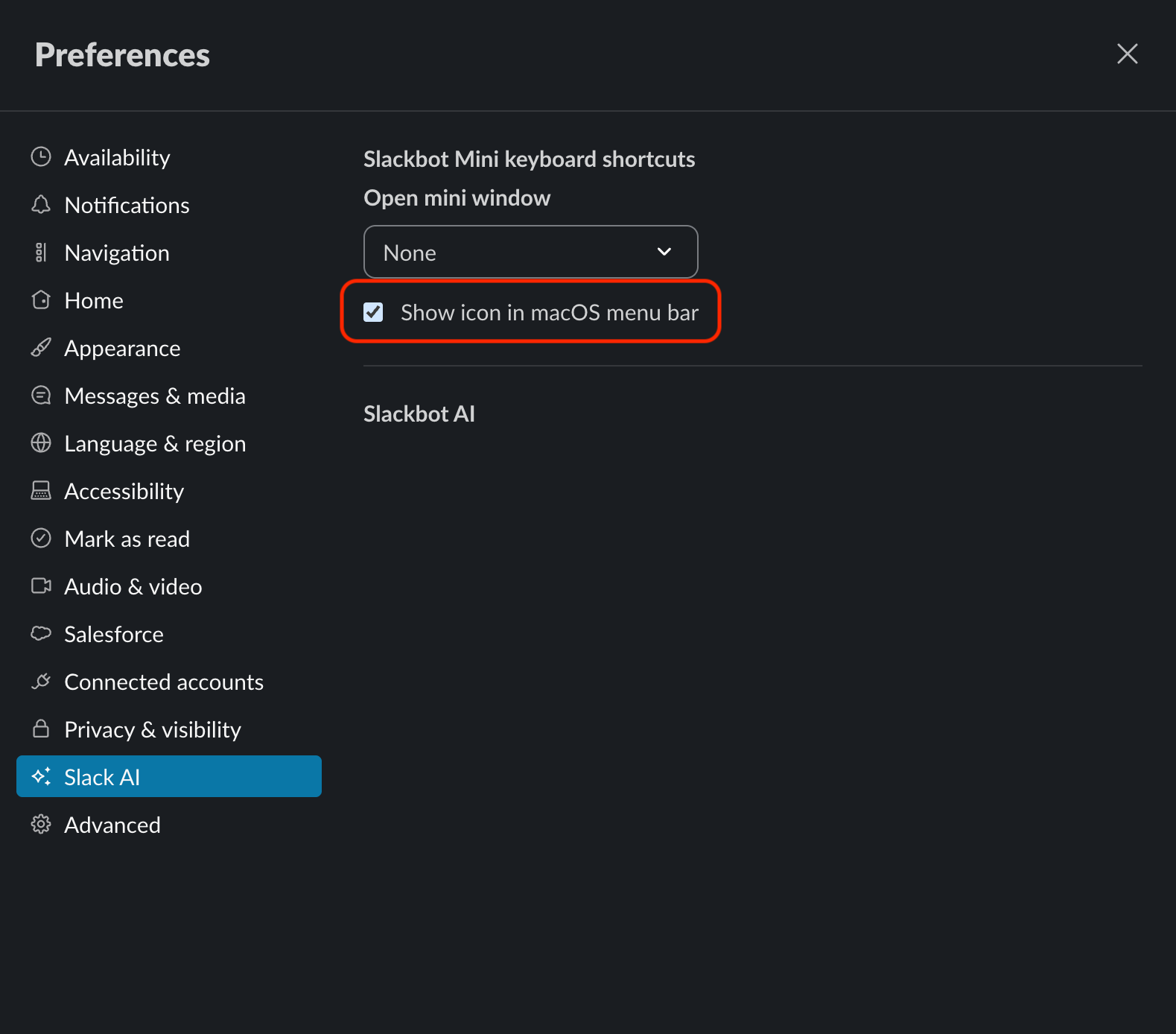
@siracusa UPDATE: I found a solution to remove the Slack icon in macOS Sequoia!
There is a setting in Preferences > Slack AI to "Show icon in macOS menu bar" and unchecking it works (v4.53.276).
Command-Drag didn't work for me.
This technique is listed lower-down on a GitHub page with other instructions for removing it manually in the linked post here (I did not try the other methods): https://gist.github.com/scott-thornton/576cbbf8634399309a1489fab0e4d324
 Removing Slack's macOS menu bar icon
. GitHub Gist: instantly share code, notes, and snippets.
gist.github.com
@exkclamation @marcedwards @siracusa doesn't work for me either and I'm on Sequoia...
@alexkorn Yeah, I think it may be a recent addition to be able to do it with any menu bar icon. +@exkclamation @siracusa
@marcedwards @siracusa thank you. I was just hunting for this to turn it off. How was it allowed to auto insert itself in there in the first place is beyond me.
John - next time you are on the line to Apple support- you should ask them. 🤪
@siracusa Hold ⌘ while you click and drag it out of the menu bar. Edit: this works for most menu bar icons.
@siracusa System Preferences > Menu Bar.
@siracusa ⌘ + drag it out seems to work and remember!